
Change the Date in an Image Online
Update event dates on posters in seconds, matching original font and style.
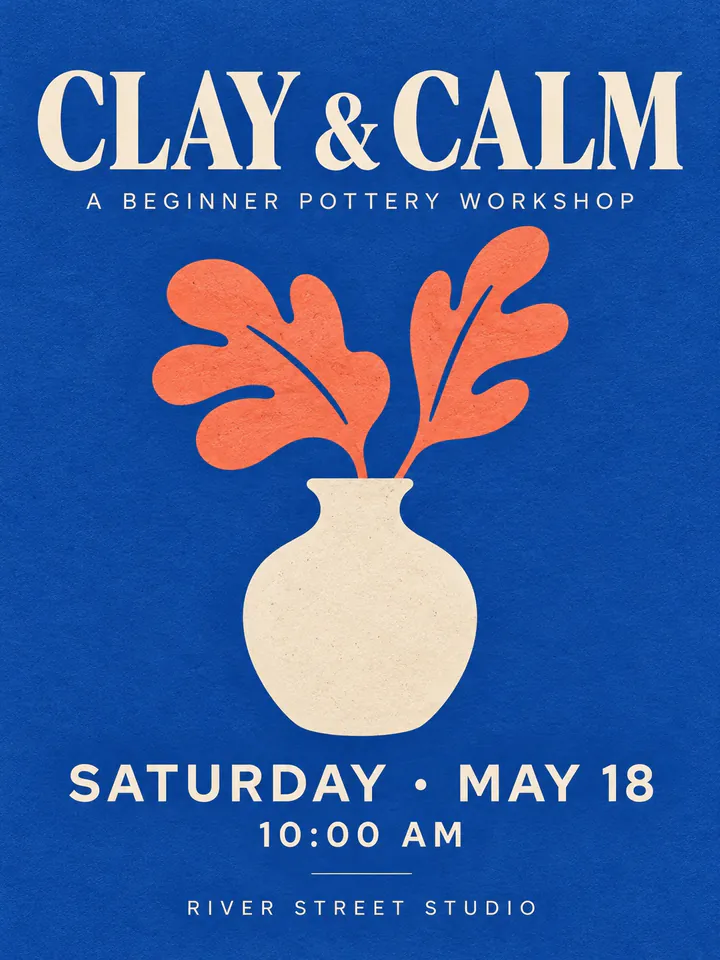

Before
After
Drop an image to extract & edit textOne image at a timeSupports PNG, JPG, WebP up to 30 MB
Real edits, made with this tool


Source
Translated
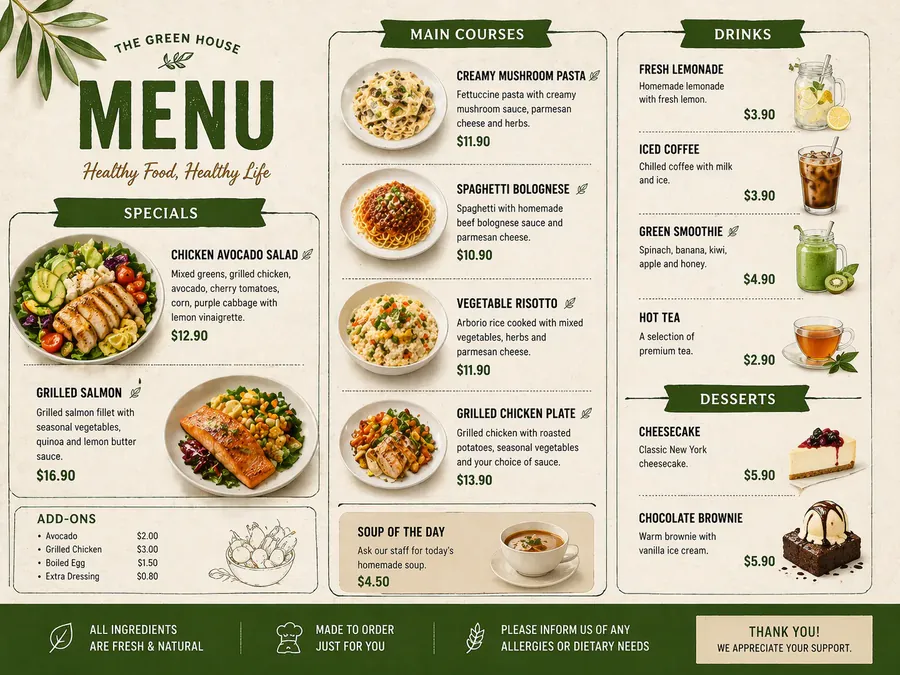
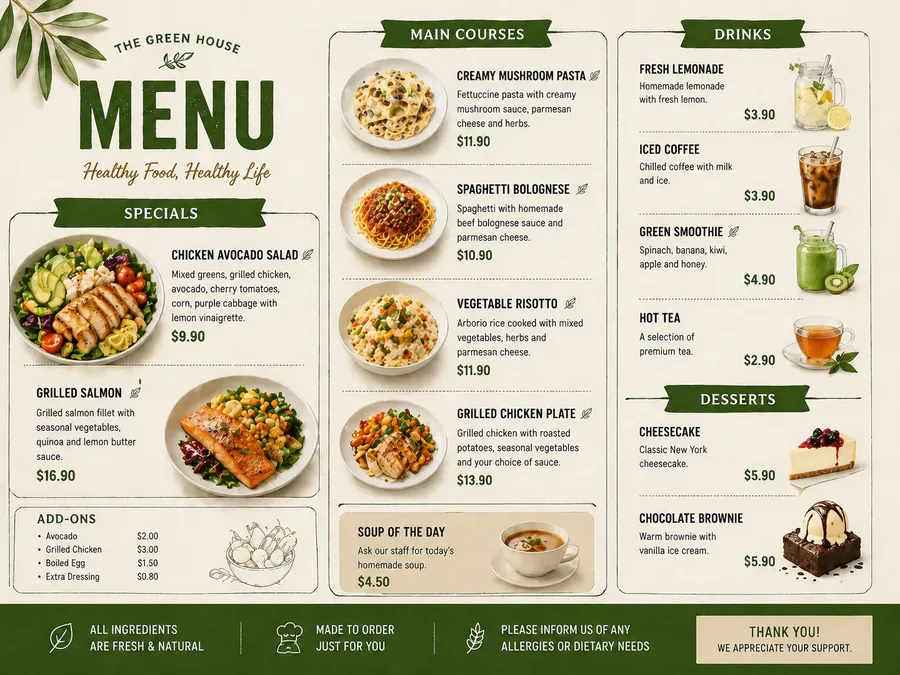
Source
Translated
How to change a date in an image
Upload your poster or flyer
PNG, JPG or WebP, up to 30 MB. Event posters, class schedules, seasonal menus and invitations work well.
Enter the old date and the new date
Drag a box around the date to read it in — for example “Sat 12 October 2024” — or type it as it appears, then enter the replacement.
Add the time or venue in the same run
If the time or place also changed, add another row for each. Everything in the list is updated together.
Built for recurring events and seasonal graphics

Same look
The new date blends with the design
- Digits, month names and weekday labels are redrawn in the weight, colour and size of the date they replace.
- Slashes, dots and dashes in the date are part of what you type, so the format stays the way you write it.
- It works on stylised display numbers as well as plain body text, as long as the date is legible in the image.

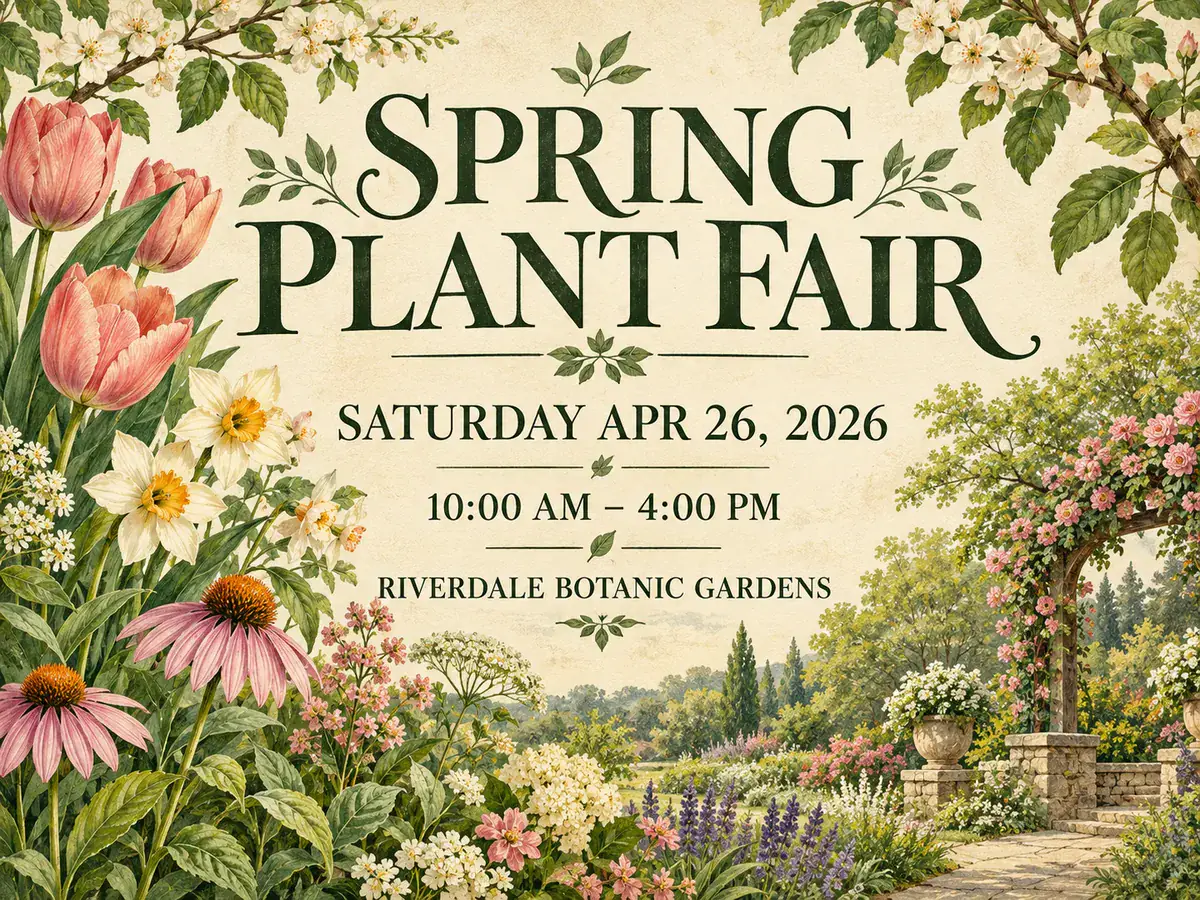
Whole poster
Date, time and venue together
- List the date, the time and the venue as separate rows and the poster is updated in a single run.
- When a year or date appears twice on the poster, box the one you mean so only that occurrence changes.
- One run is 20 credits regardless of how many rows it has, and a failed run refunds itself.
Check before you print
What to look over in the result
- The poster is regenerated at a fixed size like 1024×1536, not its original dimensions, so check it still fits your print or post size.
- With many rows, a change occasionally lands on the wrong line; a short, clearly boxed list is safest, and “Keep editing this image” fixes a miss.
- Compare side by side and zoom in on the small print — venue addresses and footnotes are where drift shows first.
Poster ready for this year’s date?
Open the text editor, upload last year’s design, and swap in the new date with AI edit before you print or post it.
Keep going
More tools for Text editing & typo repair
Questions about changing dates in images
Change Date in Image, Original Look Kept
- Sign up free to get starter credits
- No credit card required